
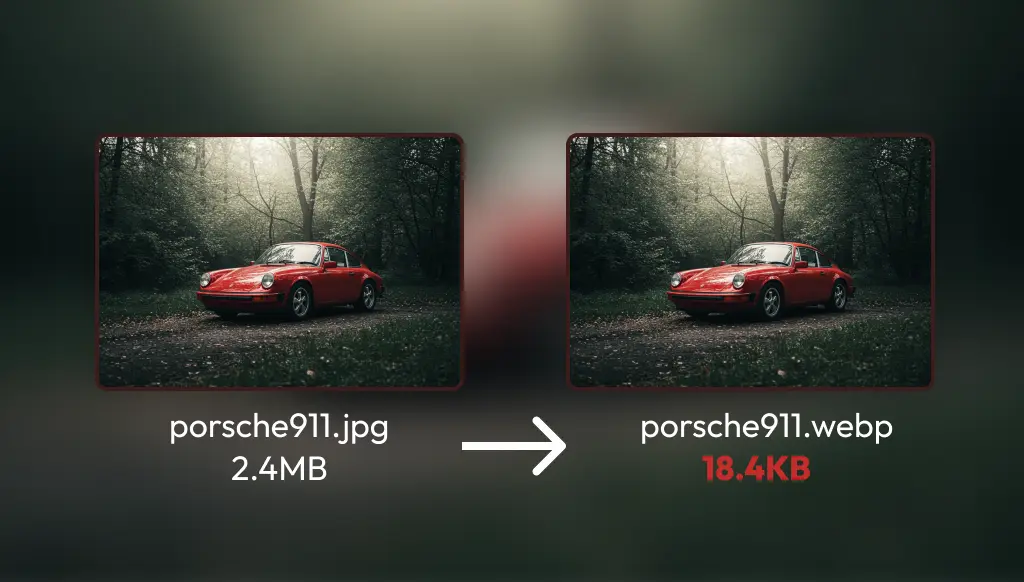
If you want a faster website, Optimizing images is one of the most important steps. Poorly managed images will slow down your site, which will degrade the user experience and Google will rank you lower. I did a lot of testing and found a way to produce the best quality images possible, but in the smallest size.
1. Where do you get good pictures?
The source of the images is key. There are several options:
- Free stock photo sites:
- Paid stock photo sites:
- Shutterstock – huge selection, but more expensive.
- Adobe Stock – professional images, easy to use with editing programs.
- Pictures received from customer – if the client sends their own photos, they also need to be optimized.
2. The editing process
- Uniform sizing – Me FigmaI set the images to a fixed size because that way everything will be consistent on the website.
- Post-production – If necessary, Adobe Photoshop or I fine-tune the image with another editing program.
- Save as PNG "This is important because" I got the best results by converting from PNG to WebP.
TIP: Previously I wrote a useful article. a legjobb képszerkesztő programokról! ;)
3. Image format and image optimization
Many people say that JPG is better because it is smaller, but I I have found through my own testing that converting from PNG to WebP gives the best quality and smallest size images..
- If Converting from JPG to WebP, then the file size will be larger for some reason than if I'll make it from PNG.
- With PNG → WebP conversion incredibly small, average size 10-100 KB I can create images while the quality remains almost perfect.
- This may be just a coincidence, but it worked for me., and it made my site significantly faster.
4. How do I convert images?
I am the CloudConvert I use a tool called .
- Free version: 10 conversions per day.
- Paid version: For 10,000 HUF approx. 500 conversions (one image is less than 1 credit).
- It does fast and high-quality WebP conversion.
The size of the converted images is thus significantly reduced, which brutal acceleration results on the website. If it is in a gallery 10-20 pictures, then a poorly optimized page can be more megabytes, while with this method the whole thing will only be a few hundred KB.
5. Benefits of a fast page
- Better Google ranking – Google loves fast pages.
- Better user experience – People don’t wait for slow-loading images.
- Less server usage – Smaller images require fewer resources.
Stuck with uploading images?
If the images on your page are too large and the different Google SpeedTest tools show that images are slowing down your site, then Find me and I'll help you optimize your images.!