
I've been building websites for more than five years, and I thought I knew the technical basics in my sleep. Then I started working with AI, and it turned out there were a few things I had been doing on autopilot for years that could have been done better.
AI didn't build the sites for me. It worked more like a colleague who looks at your work and asks: did you really mean to do it this way? In this article I've collected what these things were and what they mean for you if you're having a website made.
Updated: 24 September 2026. A new section was added about what happens when you're too fast for the server.
The caching plugin that doesn't always speed things up
For years, the first thing I did on a new site was install WP Rocket. I switched on almost everything and expected the site to be lightning fast.
But it matters what server the website runs on. If your hosting runs on a LiteSpeed server, LiteSpeed's own caching performs much better, because it works directly with the server. Some setups add a layer called Redis, which speeds up database queries. These aren't competitors; they work at different levels, and the right setup is the one that fits your specific hosting.
There was a case where buttons scrolled to the wrong place on mobile. It turned out the caching plugin was loading images and fonts on the fly, so the page shifted before the scroll reached its target. On desktop everything was perfect, but not on phones.
The other lesson is that caching isn't one layer but several. There's the plugin's cache, the host's, sometimes Cloudflare in front of it, and Bricks stores its own CSS too. If you clear one, another may still show the old version.
Which solution suits you depends on what server your site runs on:
| Server or hosting type | Recommended solution | What to watch out for |
|---|---|---|
| LiteSpeed server | LiteSpeed Cache plugin | Free, and works directly with the server, usually the strongest option here |
| Apache server | WP Rocket | Paid, but easy to set up, often gives good results out of the box |
| Nginx server | WP Rocket, or the host's own server-side caching | If your host provides its own caching, use that and don't double up |
| Managed WordPress hosting | The host's built-in caching solution | Some hosts don't even allow separate caching plugins |
| Redis (if your host offers it) | As an addition for object caching | It doesn't replace page caching, it speeds up the database alongside it |
| Cloudflare | A CDN layer alongside any of them | This also caches, so it needs clearing after changes too |
Your hosting provider's support can tell you what server you're on in a few minutes. If you're a bit braver, you can check it in your browser's developer tools: on the Network tab, the server line in the page's response tells you, for example LiteSpeed or nginx.
What does this mean for you? That a fast website doesn't come from installing a plugin, but from someone checking what your site runs on and configuring it for that.
The same SEO twice
This is a bit embarrassing. I filled in Bricks Builder's own SEO settings and the SEOPress plugin as well. I thought the two together must be better.
It isn't. The title, description and sharing image appeared twice in the page's source code. When someone shared the article on Facebook, it wasn't certain which image and title it would show. Google also received two, sometimes conflicting, signals about the same page.
The solution is simple: one source. Today SEOPress handles SEO for me, and Bricks' own SEO output is turned off. If you're curious about the technical details, I described in my Novamira article exactly how.
Speaking to Google: schema
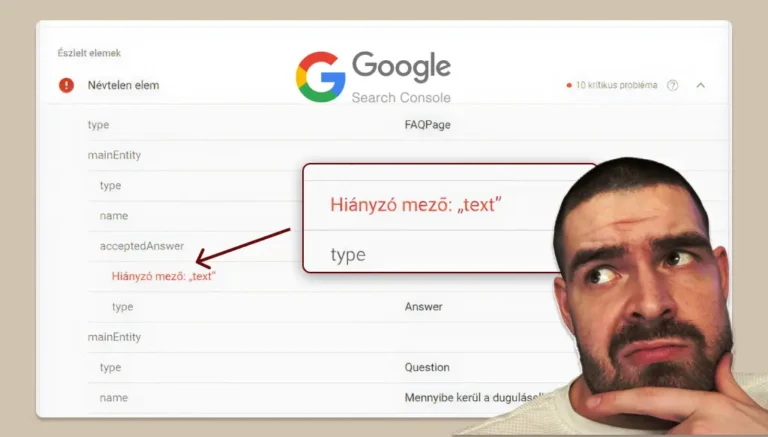
On the site of an American dental client, I saw that the service pages got thousands of impressions on Google, but almost nobody clicked them. Going through it with AI revealed that the site only gave Google a general company description, the same on every page. Google knew practically nothing about the individual services.
This is called schema markup. It's an invisible layer on the page that tells the search engine: this is a service, this is an FAQ, this is a blog post. Today not only Google but AI search engines also rely on it.
The same review showed that text hidden in collapsible tabs and buttons that lead nowhere also hurt results. They seem like small things, but they add up. I wrote about another schema pitfall in my article on the Elementor FAQ schema bug.
WebP for images, WebM for videos
I've known for a long time that images are best uploaded in WebP format, because they're a fraction of the size at the same quality. I have a separate article on this too: optimising images for websites.
What I didn't know: videos have a format like this too. It's called WebM. For a background video this can mean tens of megabytes, which matters a lot on mobile data. To be safe, an MP4 stays as a fallback, so it plays on older devices too.
I replaced something else along the way. For years I paid for an image compression subscription, then I put together my own tool with AI that does the same, even saves in AVIF format, and lets you set how many kilobytes the image should be. No monthly fee, no limits.
The check that used to take hours
This may be the biggest change. Checking a site before handover used to mean clicking through page by page, reading, and let's be honest, sometimes something was missed. A missing image description, a broken link, a section falling apart on mobile.
Today AI goes through every page in minutes. The description of every image, all meta data, every link, the mobile view, and it can even test the form live to check the email really arrives. There's no getting tired on the tenth subpage.
Today most of my work is quality control
Today Novamira helps me with most of my work. It's a tool that lets AI work directly on the WordPress site: editing, fixing, configuring. I showed what this looks like in practice in this article on a real project.
But my work hasn't become less, it has just moved elsewhere. Most of my time now goes into checking what the AI has done. Is the colour right, is the text correct, does it work on an older phone too. AI keeps getting better at this, but the decision and the responsibility remain mine.
The time AI saves goes into checking for me. That's what makes the site more thorough, not being finished faster. As for why this doesn't mean a website will cost ten thousand forints, I wrote more about it here.
When you're too fast for the server
I learned this lesson recently. I ran a full review of my own site with AI: it checked about 60 pages, 100 links and 150 images in a short time. By the next day, the hosting provider's protection had blocked my home IP address. A please wait, checking in progress screen appeared in front of every page, even the cPanel login.
No wonder: that many requests from the same address, that fast, looks exactly like an attack from the server's point of view. AI speeds up the work so much that the server doesn't believe there's a human behind it.
To be sure what had happened, I used a simple trick: I switched to mobile data, where I have a different IP address. There everything loaded perfectly. That's how I knew the problem wasn't the site, but that my address had been flagged.
The solution was simple. I wrote to Sybell, explained what I had done, and they lifted the block quickly. Since then I run checks like this in smaller batches and more slowly. This is another thing to consider when choosing hosting: whether there's fast, human customer support behind it.
What does this mean for you if you're having a website made?
It's worth asking your developer
- whether speed optimisation is set up for your hosting,
- whether SEO comes from a single source,
- whether there's page-level schema,
- and what format images and videos are uploaded in.
If you get confident answers to these, you're in good hands.
If you're curious what this looks like in practice, take a look at my work, or request a quote, and we'll look together at what your site needs.
Frequently asked questions
What is the best caching plugin for WordPress?
There's no single best one. On a LiteSpeed server, LiteSpeed Cache is usually the right choice; on other servers, WP Rocket often is. The hosting decides, not the plugin's popularity. In the table above I've listed what I recommend for which server.
Can I use two SEO plugins at the same time?
It's not worth it. Titles and descriptions appear twice, which confuses Google and social sharing. SEO should always be handled by one source.
What is the WebM format?
A video format that gives a much smaller file size than MP4 at similar quality. It's to videos what WebP is to images.
Is a website cheaper if it's made with AI?
Not necessarily. AI speeds up the work, but checking, decisions and responsibility are still human tasks. With me, the time saved goes into more thorough checking.
Can my hosting provider block me if I work on my site with AI?
It can happen if a large number of requests come from the same IP address in a short time, because the server's protection may see it as an attack. If the site works on mobile data but not from home, it's almost certain your IP address has been blocked. A message to your hosting provider usually solves it quickly.