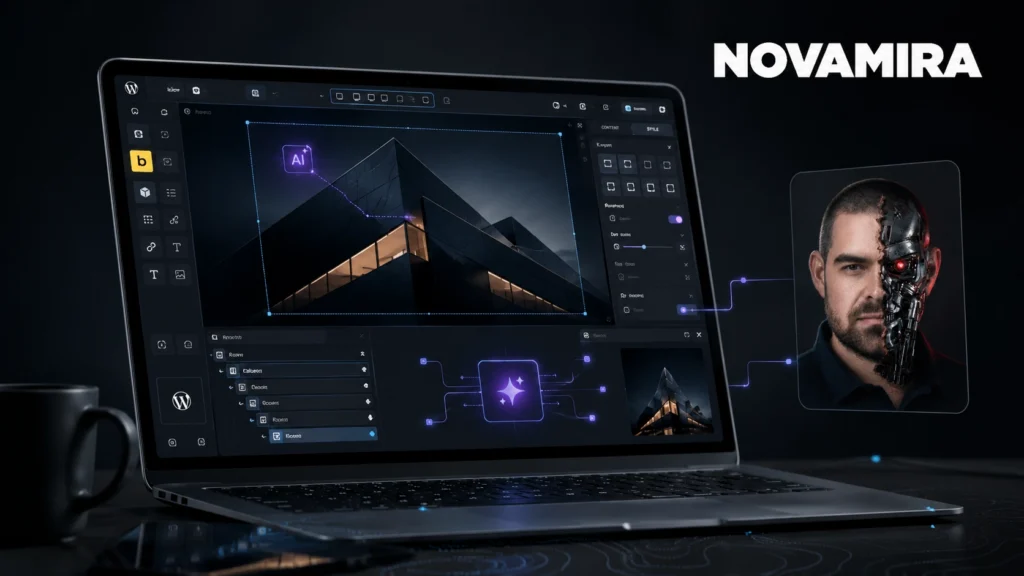
Lately everyone is talking about AI building a website in 10 minutes. I don't want to talk about it, I want to show what it looks like in reality: through a full client project that I rebuilt with Novamira on WordPress + Bricks. With every technical pitfall and “that didn't work out either” moment included.
This isn't a superficial demo. This is the actual work: what Novamira can do, where it saves hours, where it made me sweat, and what knowledge makes the end result truly good.
The story: from a static site to WordPress + Bricks
The project was the site of a dental lab: dentallabbyblush.com (B2B, for dentists, Houston). The first version was a static website (plain HTML/CSS/JS), deployed on Netlify. Fast, nice, cheap, with one problem: the client can't edit it. A new blog post or a price change always needs a developer.
So we decided to rebuild the whole thing on WordPress + Bricks Builder , keeping the look the same but with an editable system behind it. And this is where Novamira came in: I did the entire rebuild with it, meaning I edited the WordPress site itself with AI, through conversation. The static version was the “source of truth” (the copy word for word, colours and sizes exact), and Bricks was the target.
What are Novamira and Novamira Pro?
THE Novamira is a WordPress tool that connects the AI assistant (Claude, in my case) to your website through an MCP bridge. So the AI doesn't just give advice, it actually changes the site: it edits Bricks sections, templates, header and footer, SEO, schema and forms.
THE Novamira Pro is the developer-level version: in the background, with an execute-php capability, the AI makes precise, predictable changes inside WordPress. It's important to understand that Novamira is not a “press a button and you're done” generator. It's a tool in the hands of a professional , and that's exactly why it works.
How I connected it (and why many people get stuck)
Before you edit anything, the Novamira MCP has to be connected to the AI client. This part cost the most time, even though it's a small thing:
- npx error on Windows. The connection starts with
npx, which on Windows crashed with anEINVALerror. The fix was theshell: trueoption when running it. - Wrong folder. THE
.mcp.jsonconfig first ended up in a subfolder, while the project root was the parent folder, so it didn't load. The config has to go in the project root . - The “I restarted it” that never happened. The MCP only loads on a full restart ; closing the window isn't enough. This is the classic human failure point.
Once connected, Novamira works with a small but powerful toolset. The key is execute-php, which lets the AI read and write anything in WordPress, predictably.
How I work with it in practice
The method is always the same: read first, then write, then check it live. I don't “believe” it's right in the database: Novamira renders the page and looks at the actual output (colour, font weight, video state, computed style). That's why errors don't slip past “done”.
The technical pitfalls I ran into along the way
These aren't theoretical: they really came up while rebuilding a site. If you don't know them, your site will be “almost right”.
1. Bricks serialisation: it breaks without wp_slash
Bricks stores content in a serialised array (_bricks_page_content_2). Anyone who runs str_replaceon the raw string breaks it, because the length prefixes of the serialisation shift. The right way: read it, modify it as an array , then write it back with update_post_metaand wp_slash. The wp_slash is mandatory, otherwise WordPress swallows the backslashes.
2. Images get distorted because there's no figure wrapper
Bricks renders the image element as a bare <img>, with no wrapper. So object-fit applied to the wrapper won't work; it has to go on the element itself. 9 images were distorted on my site before I figured this out.
3. Containers are flex-start by default
A Bricks container doesn't stretch its content by default (align-items: flex-start). That's why a lot of sections slipped (before/after slider, marquee, price grid). The fix: explicit flex + stretch , but align-items only takes effect if there's an explicit display as well.
4. wpautop inserts empty paragraphs
WordPress wpautop adds unnecessary empty <p>tags around rich text. For example, it squashed a map iframe's height to 150px (the height:100% collapsed). Safety net: p:empty { display: none }, plus absolute positioning for the map.
5. Mobile video won't start because Bricks lazy-loads it
Bricks lazy-loads self-hosted videos: the source is in data-src(not src), and a bricks-lazy-hidden class hides it as well. Its own un-lazy is unreliable. The fix is a global JS: data-src → src, remove the class, plus for iOS muted + playsinline, and a #t=0.1 fragment so the first frame isn't black on mobile.
6. Duplicate Open Graph tags
Bricks also outputs its own SEO and OG tags alongside the SEO plugin (SeoPress), so og:title, og:description, og:image appeared twice on the posts. The fix: in Bricks, disableSeo + disableOpenGraph, so there is a single source.
7. reCAPTCHA “Invalid site key”, even though the key was fine
Bricks always inserts a hidden .recaptcha-error fallback box. The site's own .form-group { display:flex } rule, with higher specificity, unhid it. The key was fine; the box had to be hidden explicitly.
8. Headings without font-size
If a heading has no explicit font-size, the browser renders it at the default of about 24px. Don't assume Bricks sizes it; reproduce the intent of the source.
9. Schema from an isolated sandbox PHP file
The BlogPosting and FAQPage schema come from separate Novamira sandbox PHP files, which hook into wp_head. The FAQ schema reads the questions dynamically from the front page , so it stays in sync with the text. (Note: a syntax error in any sandbox file puts all of them into safe mode, so always run a syntax check before writing.)
10. Dynamic blog: the query loop and the right tags
One of the static blog cards pointed to a scrapped post . I converted it into a query loop (latest 3, orderby date DESC). A lesson about tags: the card link needs https://orkenyi.hu/en/novamira/ ( {permalink} isn't registered), the date needs July 2026, and category filtering needs its own field, because only works on archives.
Bonus: in Bricks, with cssLoading: inline , meta changes render immediately, with no need to regenerate the CSS cache.
The instructive story: why did the site look wrong on an iPhone 7?
This is my favourite, because it shows perfectly why experience is needed alongside AI.
The whole colour system used a modern CSS feature (color-mix()). Great stuff, except that older phones (e.g. iPhone 7, iOS 15 = Safari 15) don't understand it. They don't show an error message, they silently discard the colour. That's why the site appeared with the wrong colours on the client's phone, while it was perfect on every other device. (Fun fact: clamp() does work in Safari 15, which is why only the colours broke, not the sizes.)
The fix: in about 150 places the colours had to be rewritten in a form that also works in old browsers (rgba() : the transparent tint is mathematically identical), then I checked that none were left. An AI generator would never have noticed this. For that you need to know that the client is looking at it on an iPhone 7, and you need to know what a 2015 Safari can do.
The logo that took four attempts
So I don't sound too confident: the header logo took the most rounds. It needed a pink “BLUSH” on light sections and white on dark ones, but on load it came in black, while on scroll it was fine. The chain: (1) a filter: invert turned the pink white; (2) a separate reversed logo was needed instead; (3) the logo element was actually the link, not the image (the image is its child); (4) the srcsetstrip happened after the sync JS ran, so it loaded black. It only came together after several rounds of diagnosis. This is reality: sometimes even a logo is a struggle.
Where Novamira is brutally fast
I don't want to talk anyone out of it: there are things it solves hours faster than a person doing it by hand:
- Bulk changes. It did the ~150 color-mix replacements mentioned above in a single safe pass, on every page. It put together whole pages in one go (one page is ~190 elements).
- Live checking. It looked at the rendered page: background colour, font weight, video
readyState, mobile overflow, all measured. - Testing forms end to end. It submitted the form live and checked that the email arrived and the entry was saved to the database.
- Image and video optimisation. It compressed the videos from ~45 MB to ~16 MB. I've also written about this separately: image optimisation.
- Foundations in seconds. 18 global variables (colours, radius, layout), a Theme Style, 38 media assets in the library, global header and footer templates.
SEO and schema
SEO is handled throughout by SeoPress, with Bricks' own SEO/OG output turned off (see the duplicate OG tags above). The schema was built on three levels: Organization (not LocalBusiness, because the lab shares its NAP with the clinic), BlogPosting and FAQPage : the last two dynamically, from the sandbox files mentioned above.
Forms, working the way they should
The Bricks form both sends an email and saves to the database (the save-submission action), so even if an email goes to spam, the data isn't lost. reCAPTCHA v3 protects against bots, and file uploads arrive as attachments. A small thing, but most conversions depend on the form, which is why I tested it live.
The honest part: this isn't a button
A website isn't a prompt. It's lots of decisions, feedback and fine-tuning that someone has to steer. A few examples from the same project: we built an Instagram gallery, then put the old one back; we added hero badges, then removed them; we reworked video playback twice before it was right. And there was the moment when Novamira wasn't precise enough: it didn't read the source CSS all the way through, so a section was built with the wrong colour and too heavy a font. I pointed it out, and it fixed it. That's completely normal, and it's exactly why a professional needs to be behind it.
Before going live: what I check on every site
Even more important than the technical part is that the site holds up in production. What I always check before launch:
- Form delivery (SMTP). WordPress's default
mail()often lands in spam or gets lost. If revenue depends on the form, setting up SMTP is a launch blocker, and I test with a real mailbox. - Bricks code execution. Bricks' PHP execution (code execution) is a security surface: it should be turned off in production if it isn't needed.
- Checking while logged out. When you're logged in you see something different (admin bar, analytics) from a visitor, so I check the real view in incognito.
- Mobile. No horizontal scrolling, readable text, reachable buttons on every page.
- Copy is law. The text is word for word the approved version, with no em or en dashes anywhere.
Novamira vs. traditional editing
| Traditional | Novamira | |
|---|---|---|
| Changes | by hand, clicking around | you describe it, it does it |
| Bulk fixes (e.g. 150 colours) | hours | in one pass |
| Checking | manual | live, automatic |
| Do you need a professional? | yes | yes (that doesn't change) |
Who is Novamira for?
For you, if you build or maintain WordPress + Bricks sites and want to speed up the work, but you also know enough about the web to notice when something is off. It's not for you if you expect a finished, flawless site at the push of a button without professional knowledge.
Frequently asked questions
What is Novamira?
A WordPress tool that connects AI to your website through an MCP bridge, so the AI edits the site directly (Bricks, SEO, schema, forms).
What is the difference between Novamira and Novamira Pro?
Pro is the developer-level version, with execute-php, for deeper, precise changes.
Is Novamira good for Bricks Builder?
Yes, very much so. It handles Bricks' serialised data directly, so it can build and modify whole sections and templates.
Does Novamira replace a web developer?
No. It speeds up the work, but because of the technical pitfalls above, strategy and quality still come from a professional.
How much faster is the work with it?
Significantly faster for routine tasks (bulk replacements, checking, optimisation), but the time for thinking things through and fine-tuning remains.
Conclusion
Novamira is one of the most modern ways to edit WordPress + Bricks today: it's fast and gives you real control. But as the pitfalls above show, a tool is only as good as the hand that holds it.
If you'd like a website built with modern tools but by an expert hand, take a look at my work or request a quote. Related reading: AI website building 2026 and Bricks 2.0.
I'm Károly Örkényi, a website developer and web designer with 5+ years of experience. Every day I build WordPress + Bricks sites with AI tools like Novamira.